Download Lesuto Hub & Seller - Shop and sell on iOS and Android

Official Chrome extension · Manifest V3
Lesuto Chameleon Toolkit
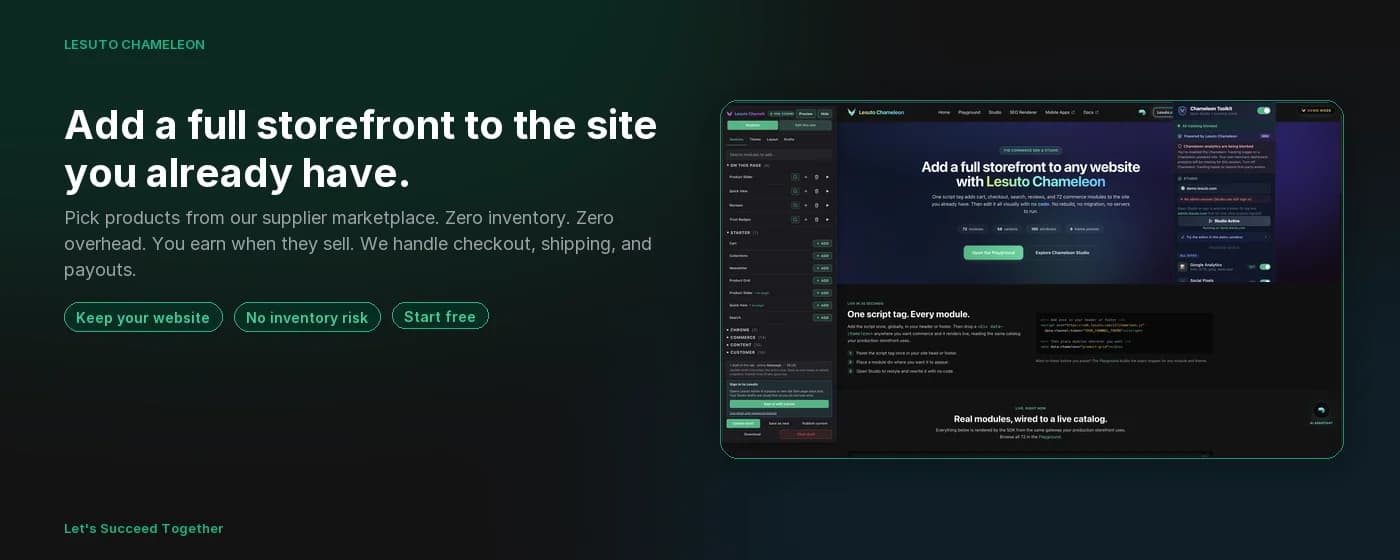
The Chameleon Commerce SDK is the embed that runs Lesuto modules on your storefront. SDK Studio is the no-code visual editor for that SDK: place modules, edit copy, and tune theme on the live page. This Toolkit injects Studio onto any tab using your real merchant channel and catalog. While you design, it can block analytics pixels, display ads, and Sponsored feed cards so production metrics stay clean and screenshots stay usable. Publishing from Studio saves to your Lesuto Command Center deployment, not to the Chrome Web Store.
Why we built it
Your build sessions should not look like customer traffic
Every merchant who opens their own storefront to tweak modules, demo a layout, or QA checkout creates fake pageviews, pixel fires, and Hub events. The Toolkit gives you Studio where you need it and a shield so those sessions stay invisible until you choose otherwise.
Clean analytics
Developer clicks are not real customers. The shield keeps GA, pixels, and Hub events honest.
Design where you sell
Inject Studio onto the real page (or any site) with your channel config, not a disconnected mock. Shop page templates, WordPress content-shell placement, and shared Hub languages keep the editor, modules, and extension popup in sync.
One Studio, every surface
Same chameleon-studio.js as the bookmarklet and demo sandbox. Updates ship everywhere at once.
Who it is for
Built for people who ship Chameleon storefronts
Merchants, suppliers, agencies, developers, and QA share one pinned extension instead of juggling bookmarklets and polluted dashboards.
Merchants
Build and test storefronts with real products without fake pageviews.
Suppliers
Configure catalogs and layouts on live pages before you publish.
Developers
Integrate the Commerce SDK with Studio and a clean network tab.
QA testers
Run flows end to end without poisoning conversion data.
Agencies
Demo Lesuto to clients without tracking your walkthrough as traffic.
Ops teams
Preview deployments per channel and store without separate logins.
What it is
Three tools, one extension
SDK companion, tracking shield, and clean-page ad blocking (including social Sponsored feeds). Pin it once and use it on every Lesuto deployment you touch.
SDK Companion
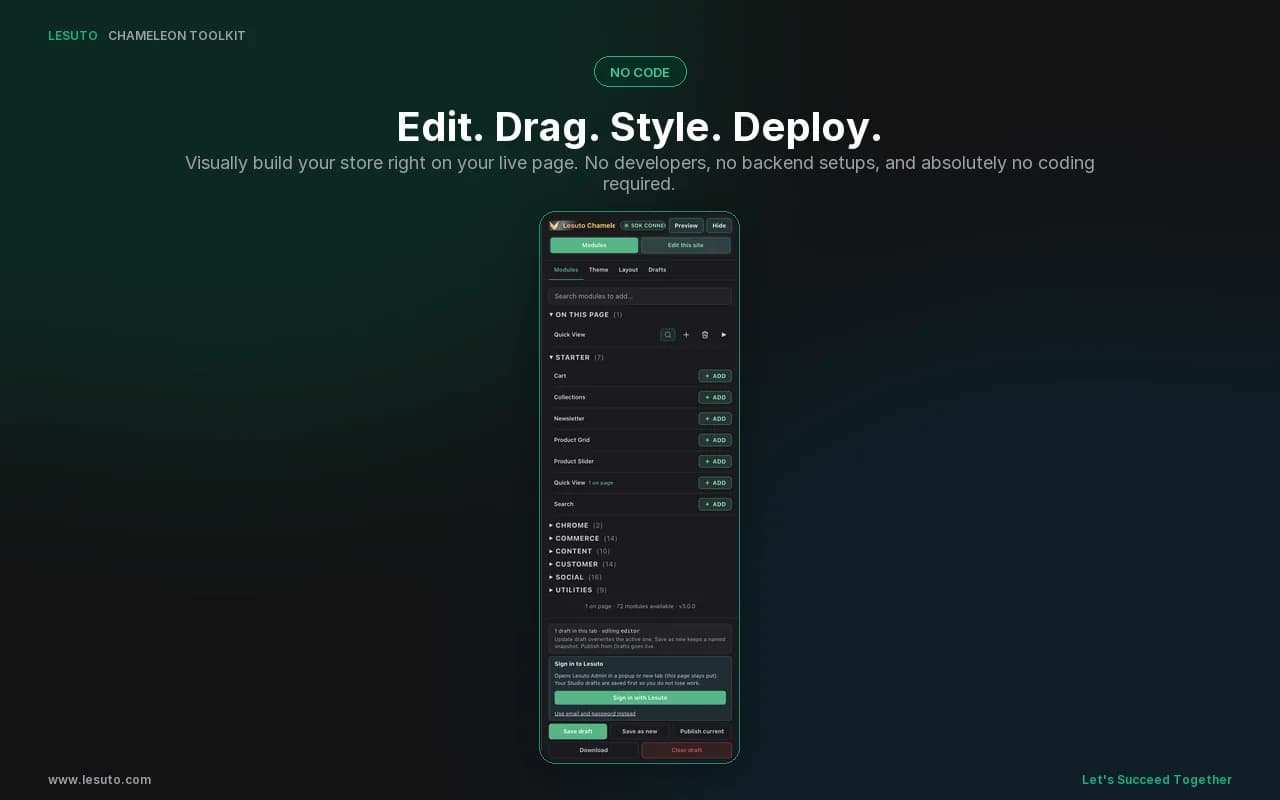
Auto-connect from admin.lesuto.com, pick a channel and store, and inject Studio on any page. Sign in and save drafts inside Studio.
Tracking Shield
Opt-in blocking for GA, social pixels, ad networks, Lesuto behavioral events, and email pixels so test sessions never pollute production analytics.
Ad Blocker
29 ad networks at the network layer, cosmetic CSS for YouTube and Search, plus Sponsored feed cards on Facebook, Instagram, LinkedIn, and X for clean deploy screenshots.
SDK Companion
Inject Studio on any page
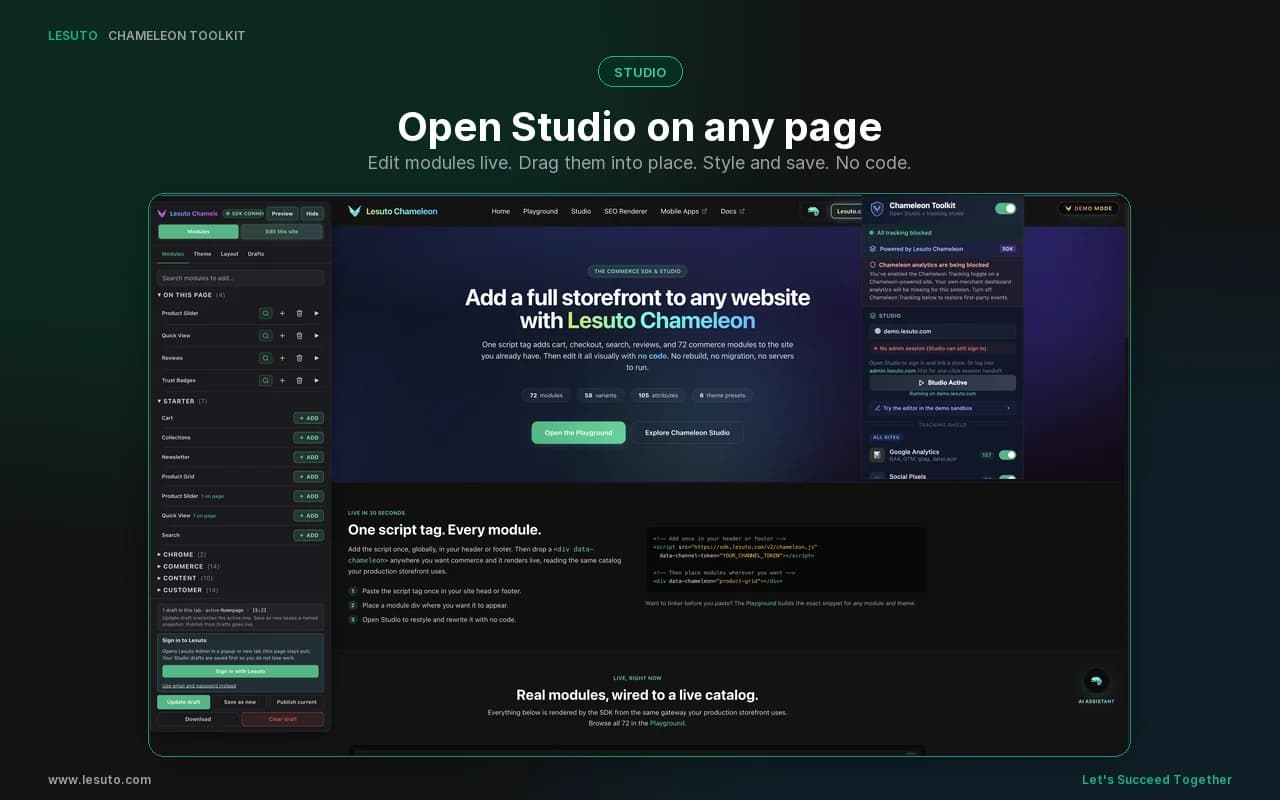
Open the popup and launch Studio. You get the same visual editor as Try It and the bookmarklet, with your real channel token and products when a session is available. Drag modules, edit theme and layout, then sign in and save or publish inside Studio. The extension is optional enhancement, not required.
- Auto-connect when signed into admin.lesuto.com (no second login)
- Optional channel + store picker for inject handoff
- Open Studio / Studio Active with live on-page preview
- Shop page templates and drag placement into WordPress content shells
- Studio owns login, drafts, preview, and publish to Command Center
- Shared language control: Toolkit globe menu syncs with Studio chrome and shopper Preview language
- Works without the extension via Studio sign-in + linked store
- Tracking shield and clean pages while you design
Live on the page
Modules and product grids where customers will see them
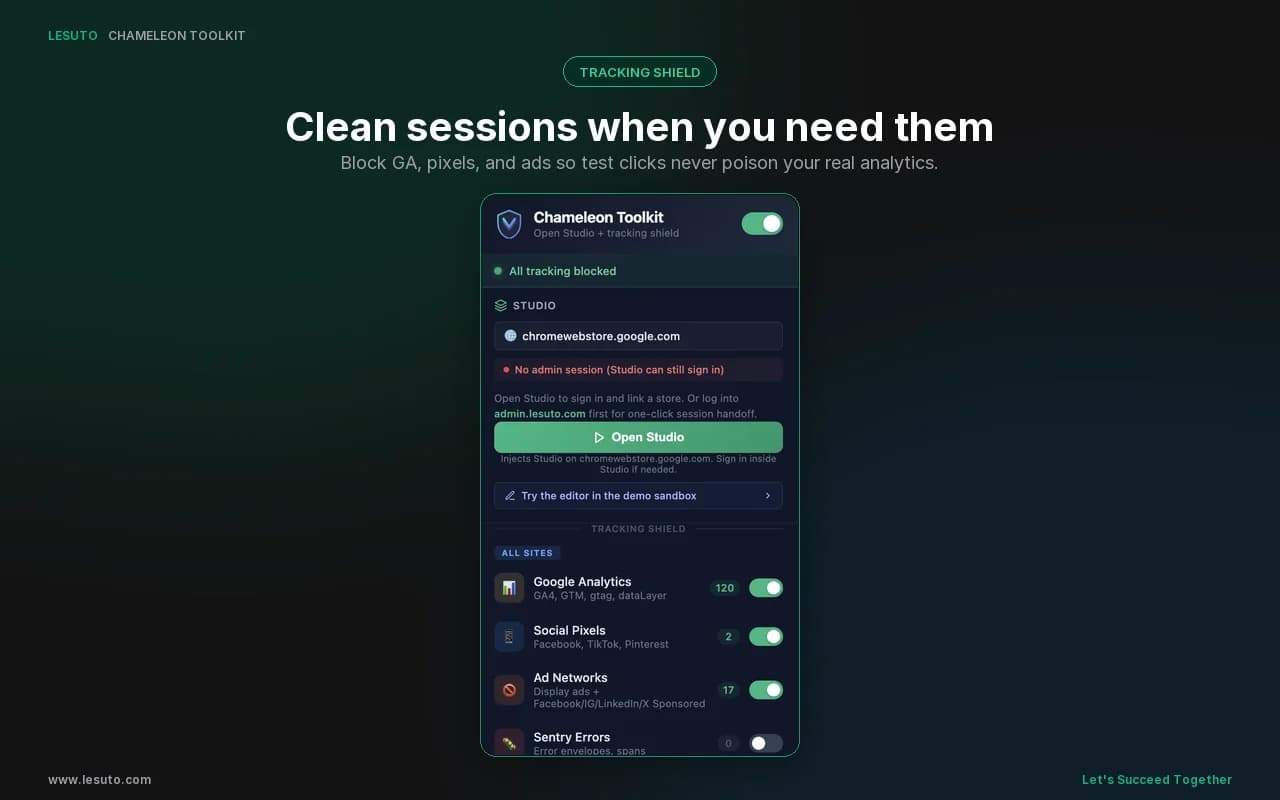
Tracking Shield
Stay invisible while you build and demo
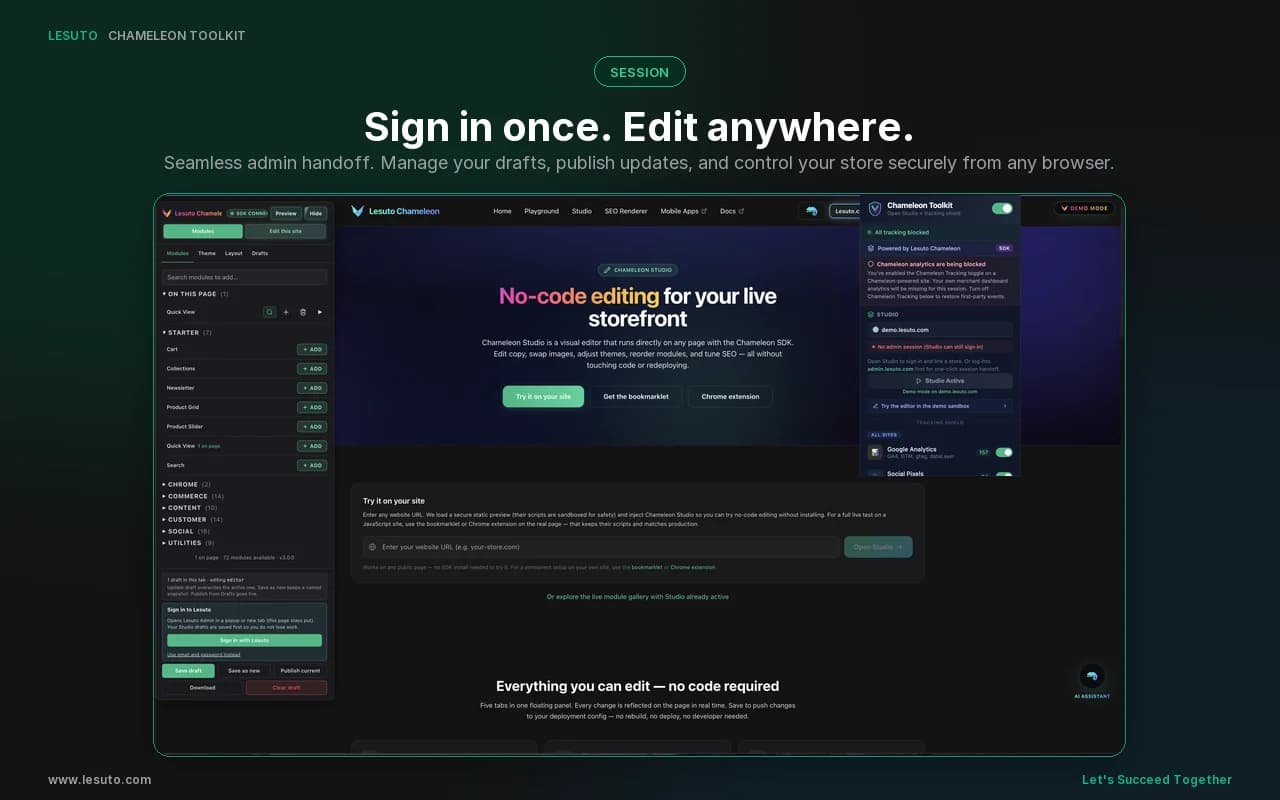
Per-category toggles, live block counts, and a master power switch. Host apps keep working. Trackers never leave the browser.
Google Analytics
GA4, GTM, gtag, dataLayer
Social Pixels
Facebook, TikTok, Pinterest
Ad Networks
Display ads + Facebook / IG / LinkedIn / X Sponsored
Chameleon Tracking
Behavioral events, GraphQL mutations, SDK analytics, outreach
Email Tracking
Open pixels, click redirects
Sentry Errors
Error envelopes, spans
How the shield works
Four layers of protection
Network rules catch requests early. Script intercepts catch trackers that share API endpoints. Cosmetic CSS cleans display ads. The social feed filter removes Sponsored cards on major social sites.
1
Network rules
declarativeNetRequest blocks tracker and ad-network URLs before they leave the browser.
2
Script intercepts
Content scripts wrap fetch, XHR, sendBeacon, gtag, fbq, ttq, pintrk, and dataLayer.push.
3
Cosmetic CSS
Hides AdSense, GPT, YouTube, Google Search, Reddit, and other known ad shells.
4
Social feed filter
Removes Sponsored and Promoted feed cards on Facebook, Instagram, LinkedIn, and X (not Ads Manager).
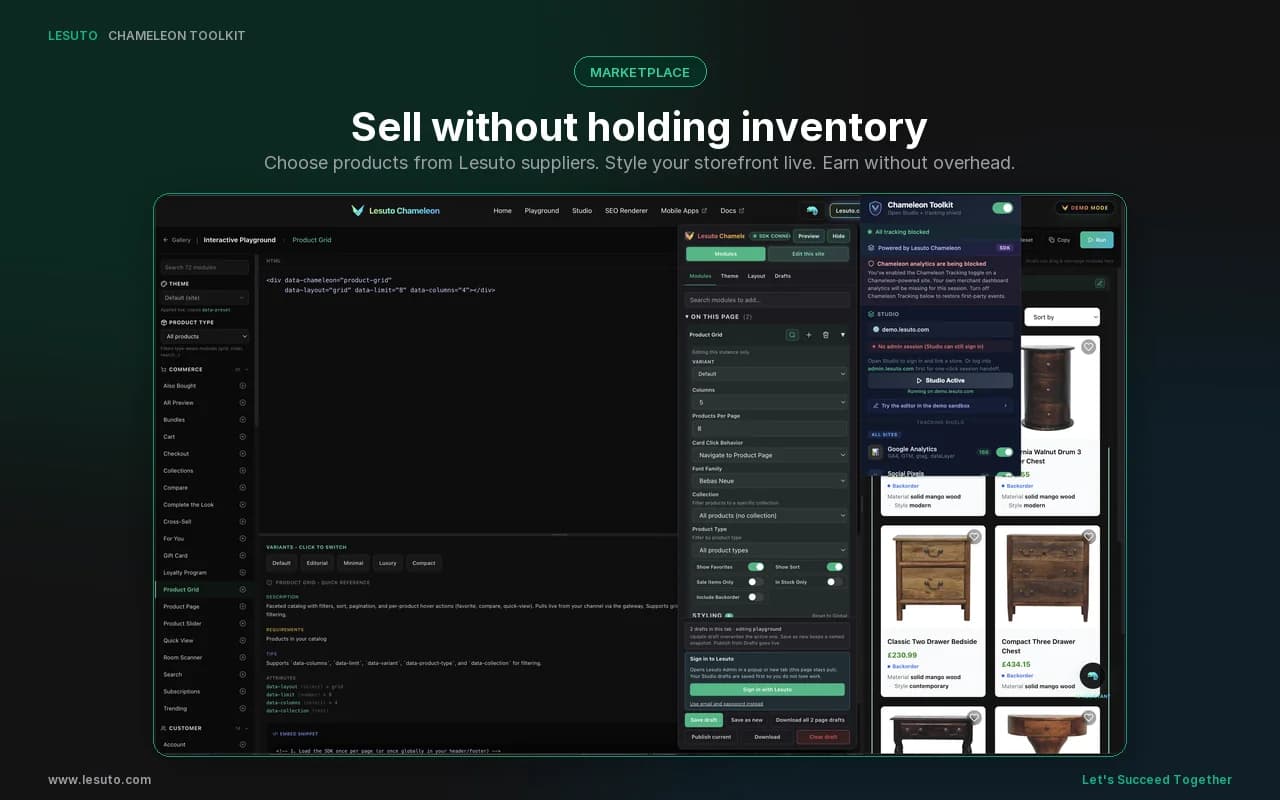
Sell without holding inventory
Click to choose products from Lesuto suppliers, style your storefront live, and earn without overhead. The Toolkit keeps Studio on the page while you curate.
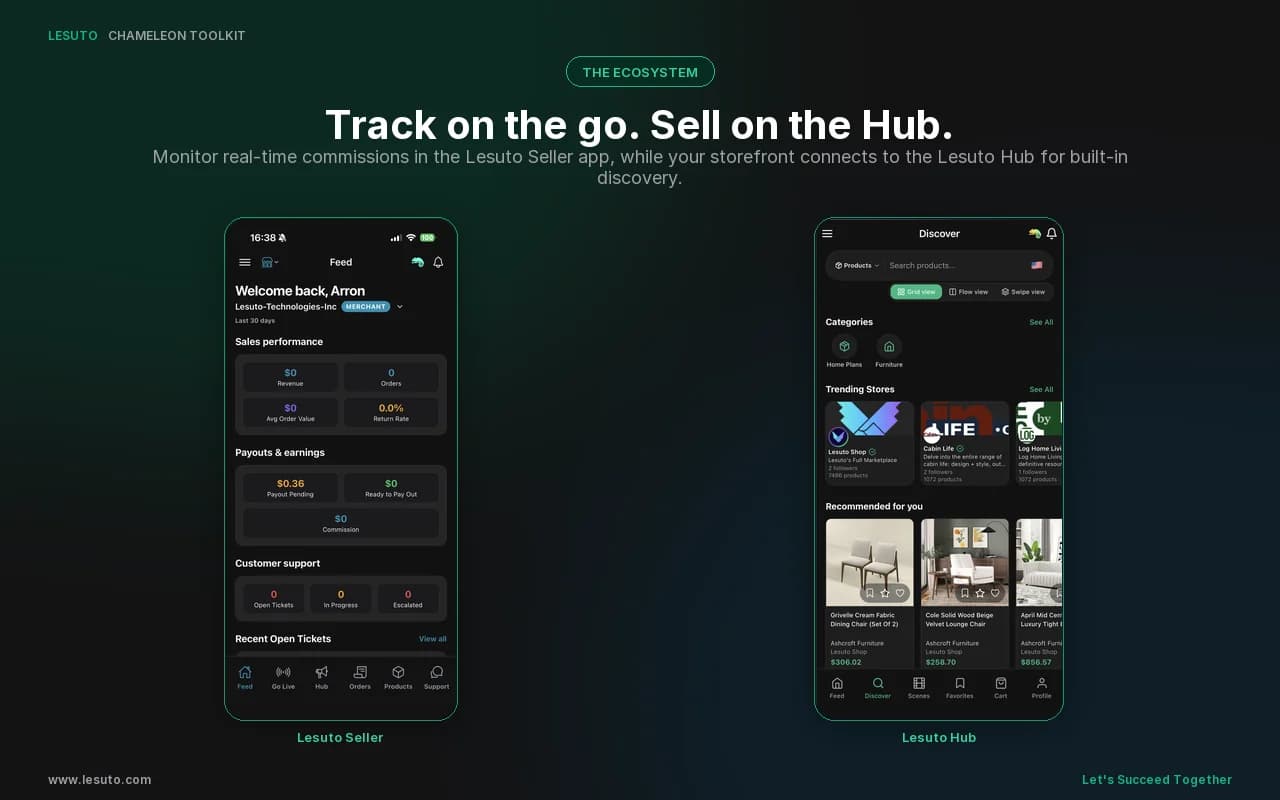
Manage on the go, sell on the Hub
Manage your store, inventory, and support from one Seller app. Run Hub marketing with scenes, stories, posts, and analytics.
Full feature set
Everything in the toolkit
Open Studio, session handoff, shield controls, and operator feedback, without shipping a second Studio codebase.
Master power switch
Turn the entire shield off instantly when you need real events.
Per-category toggles
Keep Sentry on, block GA, or mix rules per workflow.
Live block counter
See how many requests were intercepted this session.
Toolbar badge
ON, OFF, or a block count (42, 1.2k) at a glance.
Channel + store picker
Companion mode follows your admin session and deployment.
Session handoff
Inject Studio with your admin token when you are already signed in.
Console logging
Color-coded SHIELD lines for every blocked call.
Zero extension telemetry
The toolkit does not phone home. No third-party analytics.
First-party warning
Alerts when Chameleon analytics are paused on your own site.
Session auth bridge
Reads your existing admin token locally. No separate credentials.
Studio is the editor
Login, drafts, and publish live in Studio. Toolkit only injects and shields.
Clean deploy pages
29 ad networks, cosmetic CSS, and social Sponsored cards for screenshot-ready feeds.
Advantage
How it helps day to day
Less friction than a bookmarklet, cleaner data than browsing unprotected, and Studio where your customers actually land.
Bookmarklet only
Pinned extension with shield, badge, and auto-connect
Testing pollutes GA and pixels
Turn on the shield when you want invisible sessions
Separate mock preview
Real channel products on the live page
Guess if trackers fired
Live counters and console SHIELD logs
Re-login for every tool
Uses the admin tab you already have open
Ads clutter design work
Display ads blocked; social Sponsored cards hidden for clean screenshots
Compatibility
Works with your Chameleon stack
Chrome Manifest V3, any host page, the same Studio as Try It, and your existing Command Center session.
Chrome Manifest V3
Built for modern Chrome extension APIs (declarativeNetRequest, service worker).
Any website
Inject Studio and run the shield on SDK sites, WordPress, demos, or plain HTML.
Commerce SDK + Studio
Same studio bundle as Try It and the bookmarklet on www.lesuto.com.
admin.lesuto.com session
Companion mode unlocks when you are already signed into Command Center.
Get started
Install in under a minute
One click from the Chrome Web Store. Pin the extension, sign into admin.lesuto.com, and you are ready.
Add to Chrome
Zero extension telemetry
Live block counters
Manifest V3
Privacy details: extension privacy policy.
What's new
Chrome Toolkit
Release 2026.10.17
- Fixed2026.10.17
Chrome Toolkit region header
Shopper country and currency headers reach the gateway instead of being stripped.
- Fixed2026.10.16
Chrome Toolkit Open Studio
The loader appears on click, catalog products load on third-party sites, and Lesuto Admin API is left alone.
- New2026.10.15
Chrome Toolkit SDK update
Popup Update to the latest SDK downloads the newest Toolkit SDK and Studio from Lesuto after a disclosure. Use packed version restores the copy in the listing.
- Fixed2026.10.15
Studio site link
Studio matches the open tab by host and site key, and Toolkit hands the admin session back to the merchant tab.
Build storefronts without polluting analytics
Install the Lesuto Chameleon Toolkit, connect your channel, and ship cleaner previews and screenshots.
Get Started Free